Obliguard
intrusion prevention · log analysis · self-hosted

Self-hosted IPS — distributed detection, infrastructure-wide ban.

Agents tail logs from every machine and service, a central server analyses events, scores threats and propagates bans across your entire infrastructure — in real time, without a single point of failure.

Deploy now View on GitHub How it works ↓

Architecture

Agent
Machine A
SSH · Nginx · MySQL
Agent
Machine B
Apache · SSH
Agent
Machine N
+ custom services
logs →
Central
server
analyse · score · ban
← ban
All agents
ban locally
suspicious
threshold crossed
banned (scoped + propagated)
8
Built-in service parsers
30s
Ban engine cycle
4-OS
Firewall enforcement
MSP
Multi-tenant

How it works

Logs in, bans out — across every machine

Configure which services to watch on each machine. Agents tail logs (and Windows Event Log for RDP) and stream events to the central server, which analyses, scores and enforces bans automatically across your entire infrastructure.

Log collection agents

Lightweight agents run on each machine, tailing service logs and Windows Event Log (EventID 4625/4624 for RDP). Zero inbound ports required; agents push to the central server.

SSHRDPNginxApacheIISFTPMailMySQLcustom regex

Ban engine — 30-second evaluation cycle

The central server parses events on a 30-second cycle and assigns threat scores. Auth failures accumulate within configurable time windows — escalating from clean to suspicious to banned. Service templates define custom regex, threshold, time window and mode (ban or track).

Scoped bans with optional TTL

Bans are scoped to global / tenant / group / agent. Auto-bans are created by the engine; admins can also create manual bans. Optional TTL triggers auto-deactivation when the window expires. Whitelisted IPs (CIDR notation) are never auto-banned.

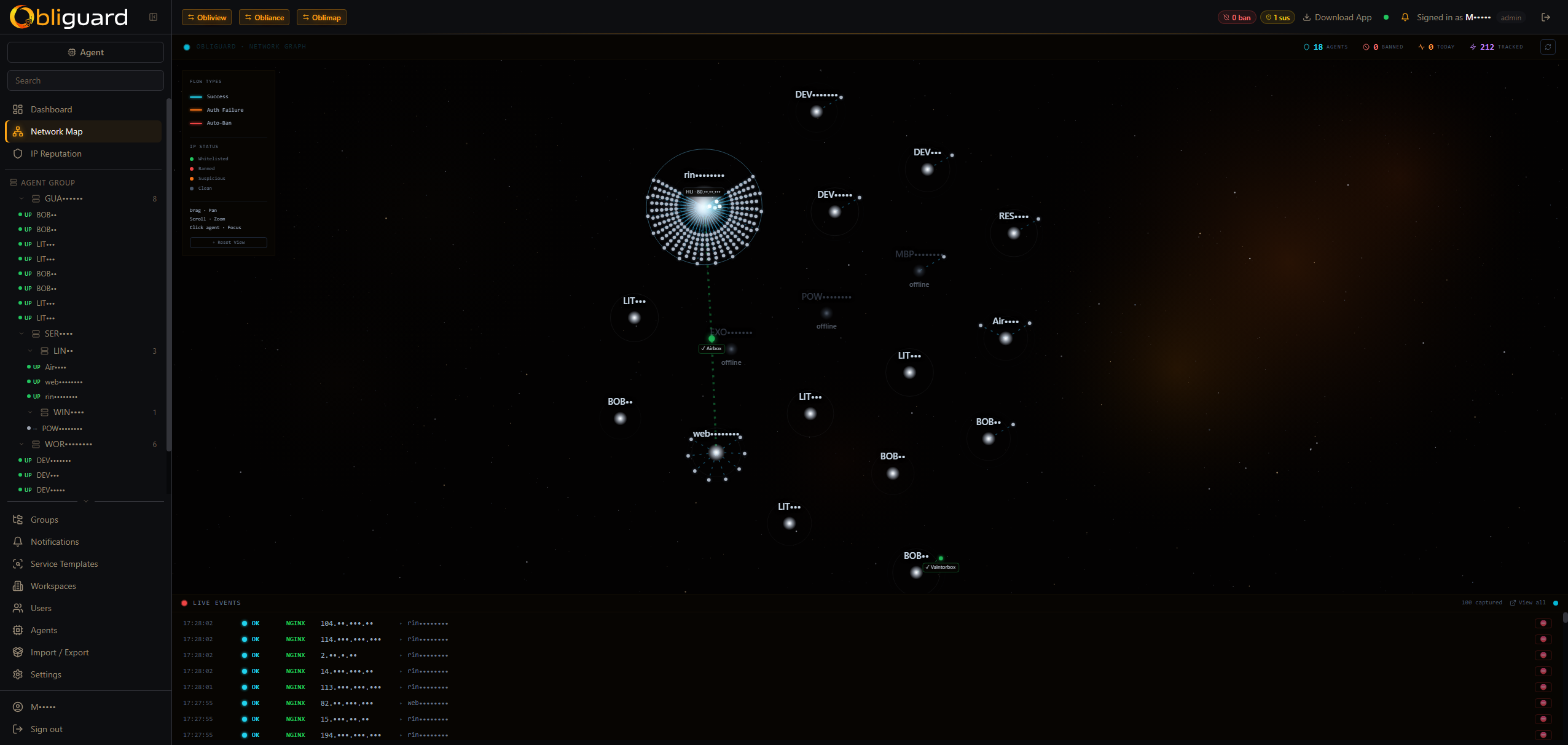
NetMap — live network canvas

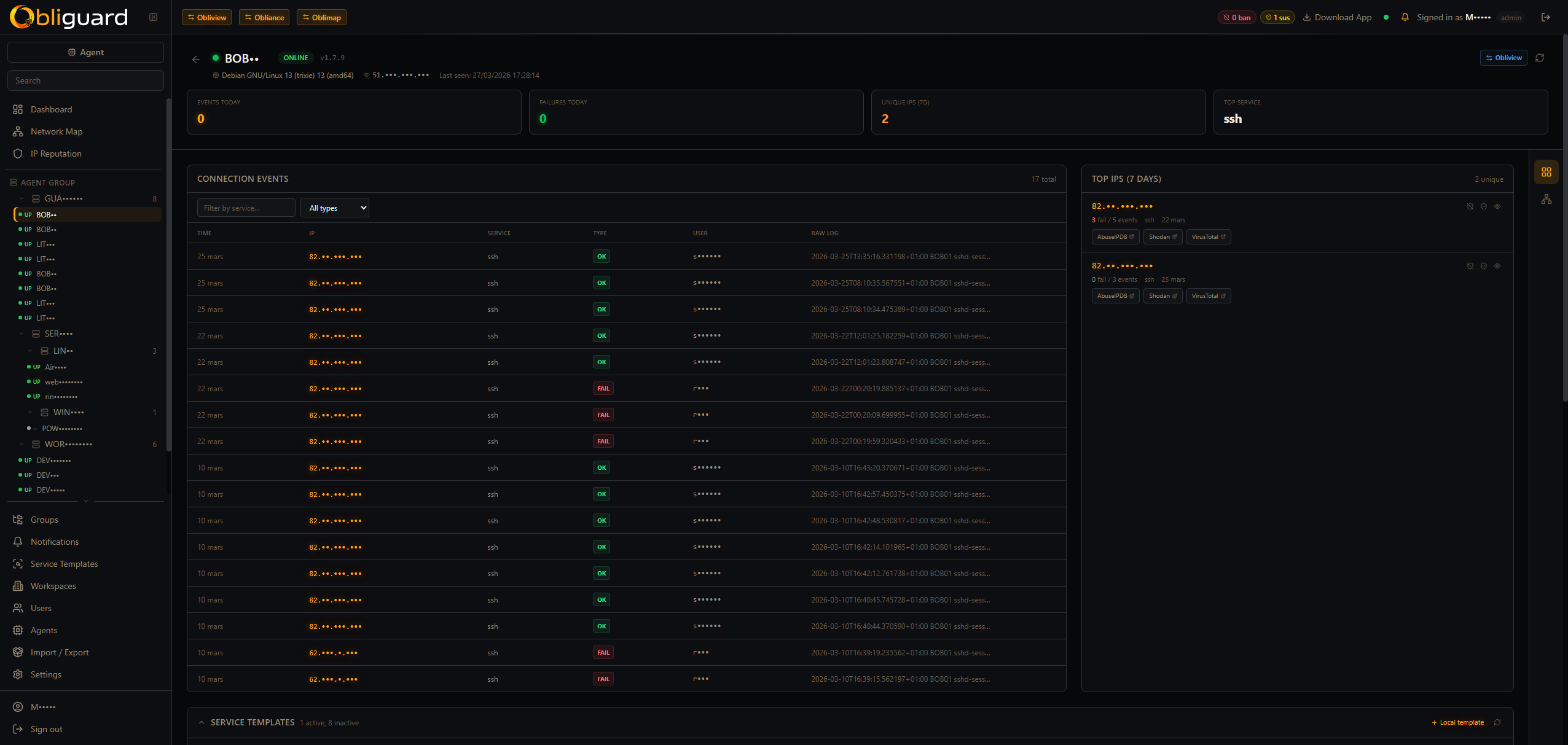
Canvas 2D visualisation of agents, IPs, peer links, live particles and ripples — with country flags and GeoIP data (country, city, ASN). Click any IP node to see its full history: failure/success counts, affected agents, usernames attempted, reputation status.

Agent groups

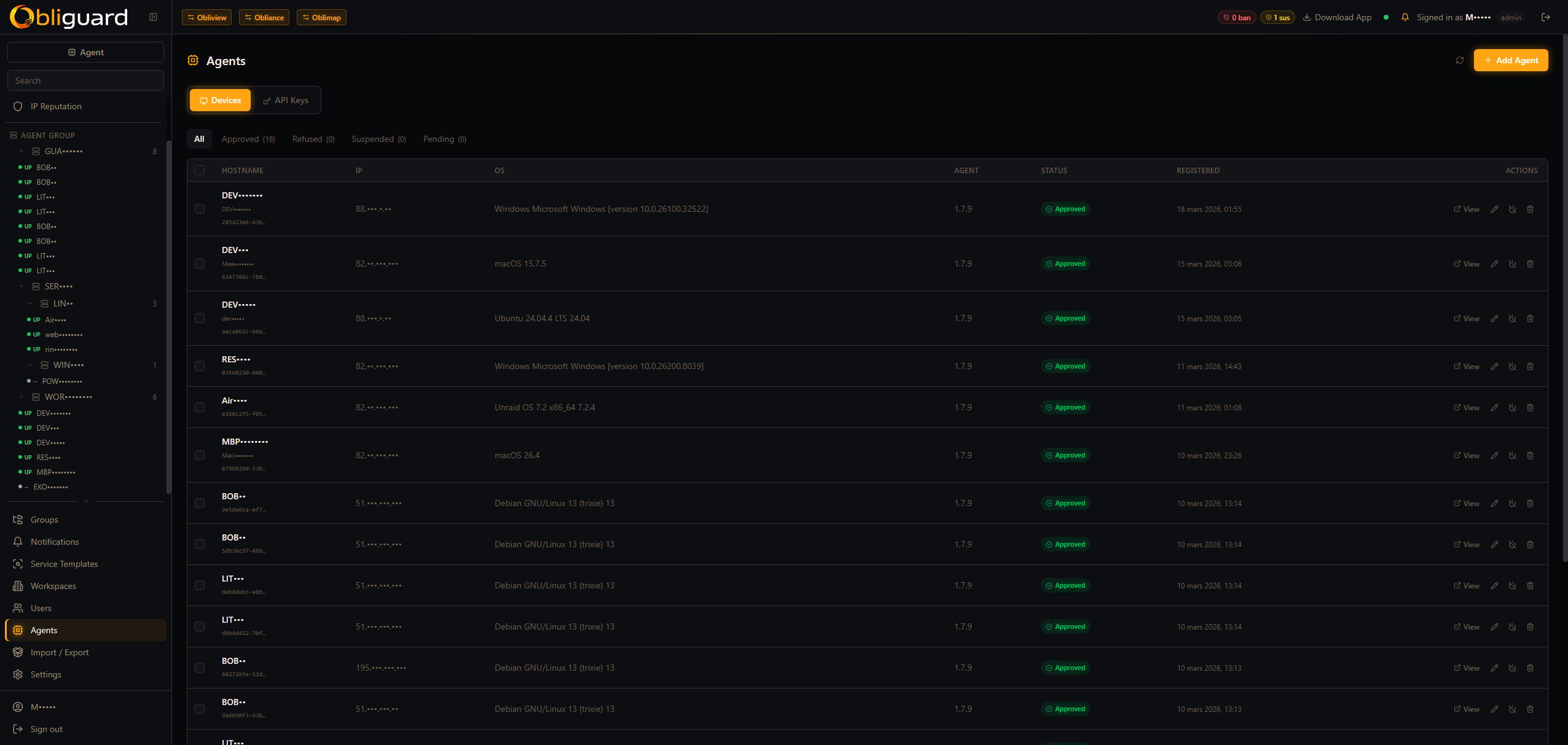
Group machines by role or environment and apply a shared service profile to the entire group at once. A web cluster, a DB cluster, an edge tier — each gets exactly the services it needs.

web-tierdb-clusteredgecustom

IP reputation & GeoIP

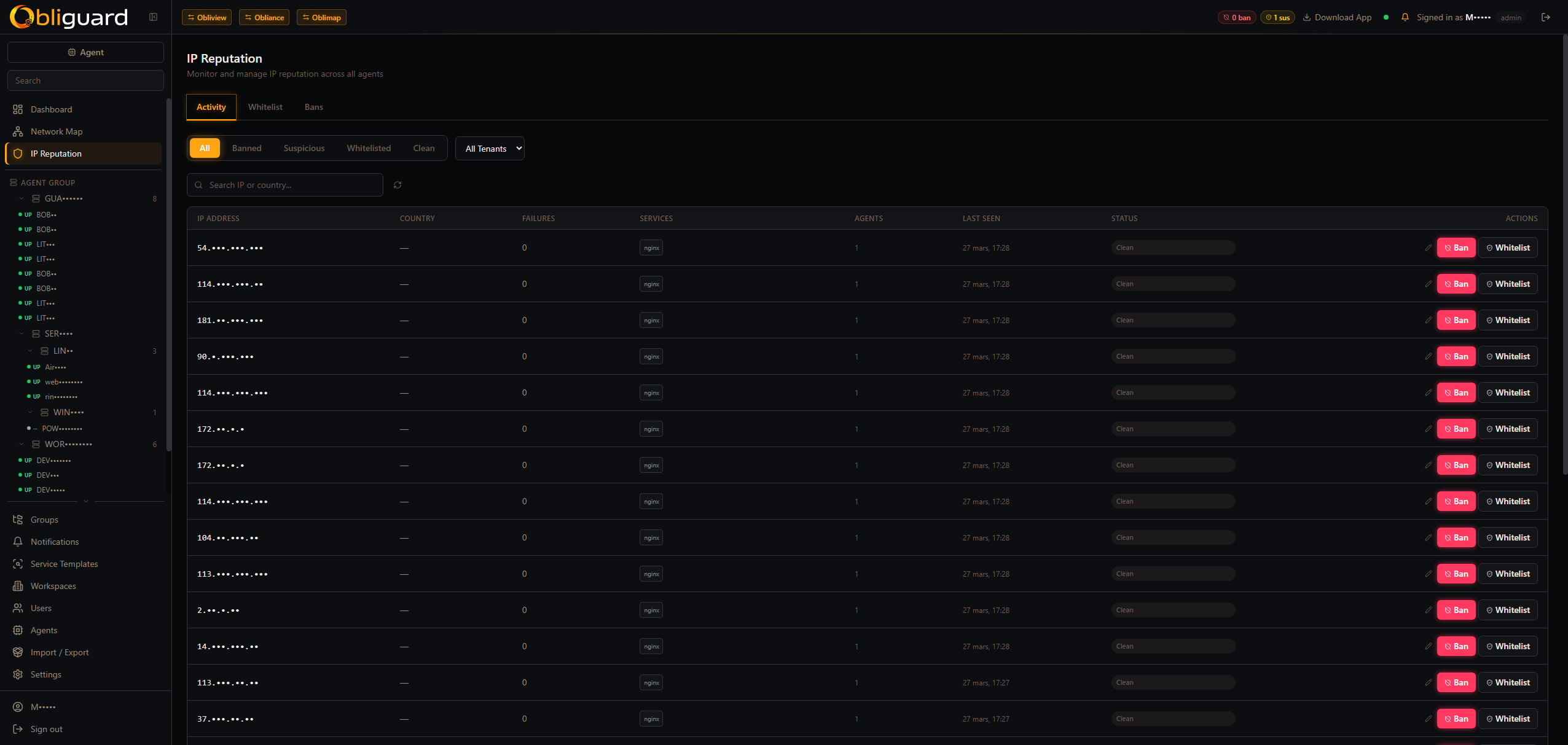
Every IP carries a reputation status — clean → suspicious → banned — enriched with GeoIP data (country, city, ASN). Track failure/success counts, which agents were hit, and which usernames were attempted.

country & cityASN lookupfailure countusernames tried

Multi-tenant for MSPs

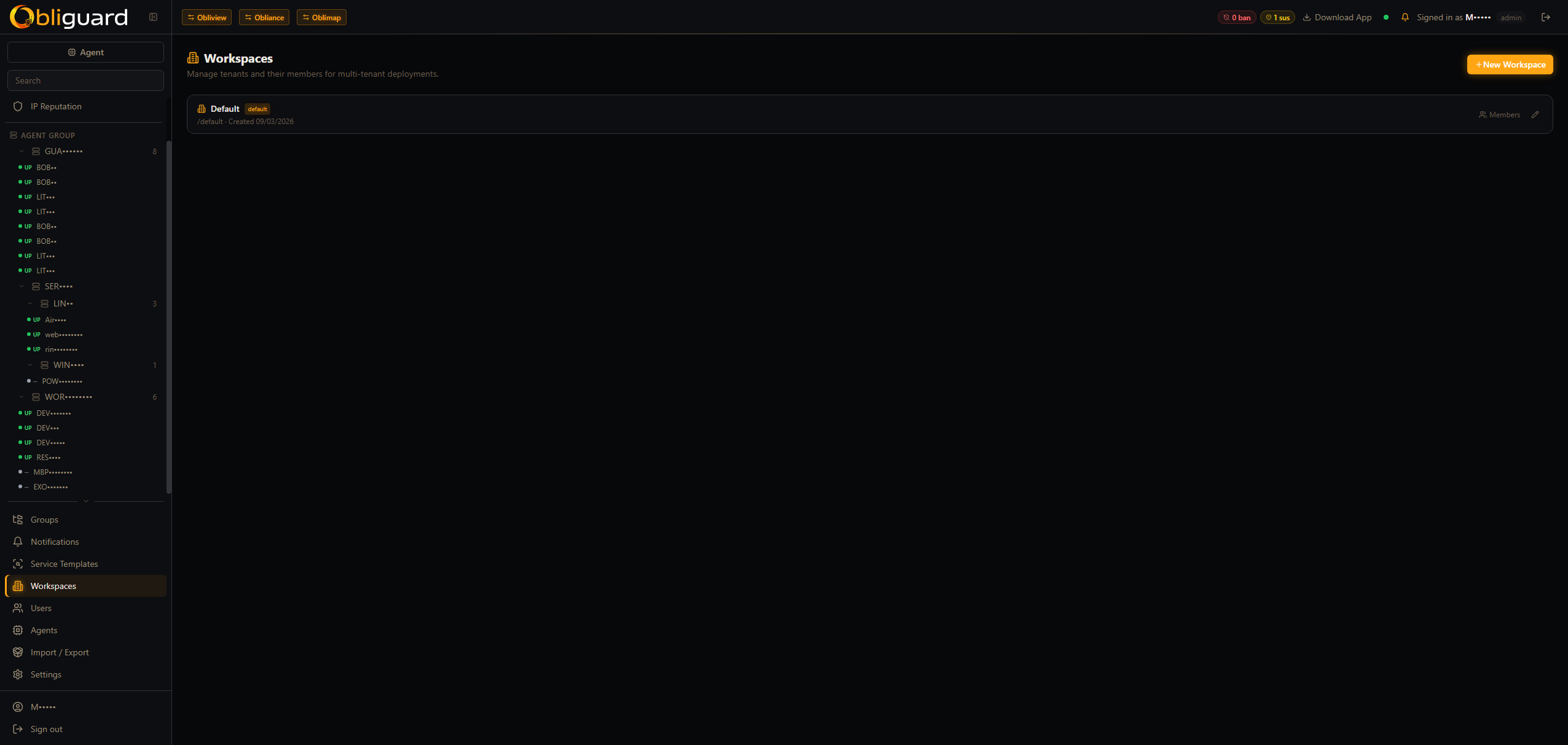
Deploy one Obliguard instance for your entire client base. Each tenant has isolated data, their own console and their own agent fleet. Tenant-level exemptions (ip_ban_exclusions) let you whitelist trusted IPs per customer.

Real-time flow analyser

Planned — deep packet-level traffic analysis. Pending kernel driver development. Will extend the star map with full flow visibility.
Dashboard

All threats, all machines, one view

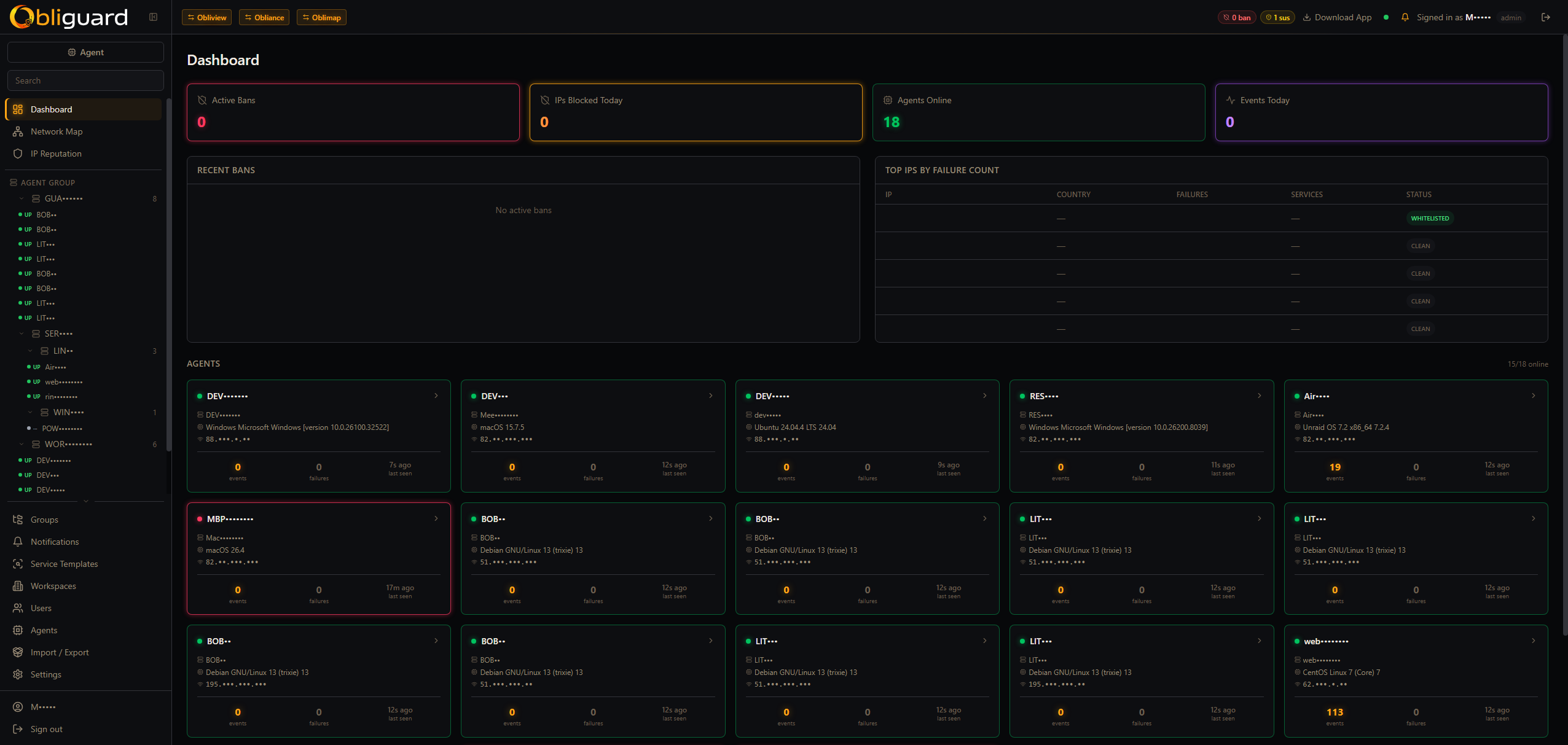
The central console shows live threat events from every agent. See which IPs are escalating, which services are being targeted and trigger manual actions at any time.

Obliguard — Central dashboard
Obliguard dashboard — ban stats, agents, top IPs
14:32:01 185.220.101.47 SSH Failed password for root — attempt 3/5 potential
14:32:09 185.220.101.47 SSH Failed password for admin — attempt 5/5 threat
14:32:09 185.220.101.47 CENTRAL Ban propagated to 8 agents — scope: global banned
14:32:51 45.142.212.100 RDP EventID 4625 — logon failure for Administrator (attempt 4/5) threat
14:33:44 91.108.4.15 Nginx GET /wp-admin/xmlrpc.php — 404 × 12 potential
14:35:11 203.0.113.55 MySQL Access denied for user 'root'@'...' — attempt 2/5 potential
14:35:22 10.0.2.14 Nginx GET /api/health — 200 clean

NetMap

See every connection, in real time

A live Canvas 2D map of agents, IPs and peer links — with animated particles and ripples. Country flags and GeoIP data are shown inline. Spot crawlers, scanners and brute-forcers the instant they connect, before they cross ban thresholds.

  • Agents, IPs and peer links as interactive nodes
  • Country flags + GeoIP (country, city, ASN)
  • Colour-coded reputation (clean → suspicious → banned)
  • Click any IP to inspect failures, usernames tried, affected agents
  • Manual ban or whitelist directly from the map
NetMap
Obliguard NetMap — real-time connection map

Agent configuration

Configure services per machine or group

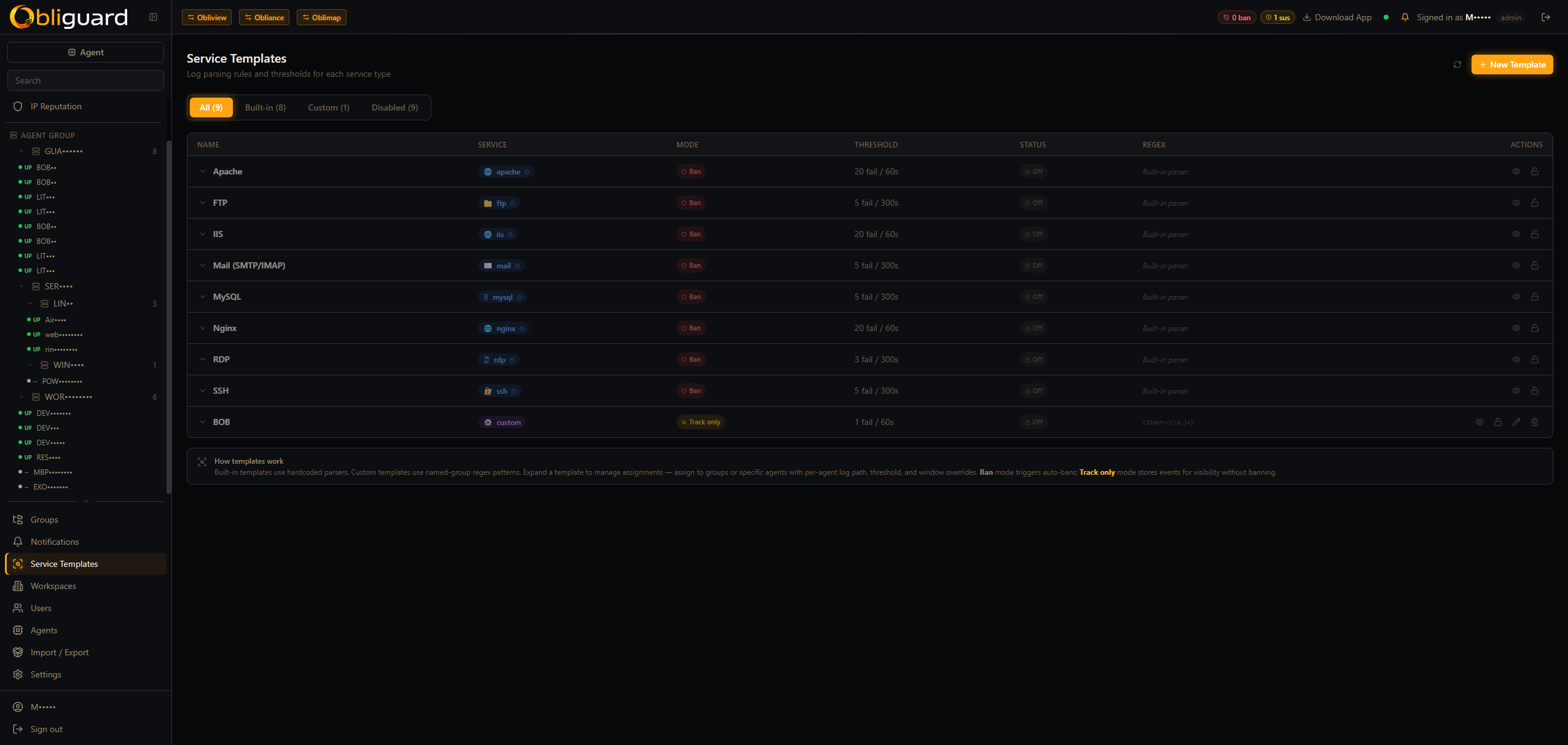
Declare which services to monitor on each agent — or group machines by role and apply a shared profile to the whole group at once. Agents discover log paths, apply the right parsers and start streaming automatically.

SSH / sshdRDPNginxApache IISFTPMail MySQL / MariaDBCustom regex
  • Assign agents to groups (web-tier, db-cluster, edge…)
  • Push a service profile update to the whole group in one action
  • Mix group defaults with per-agent overrides
  • Desktop tray app (Go, Windows + macOS) with auto-update
  • Firewall enforcement: nftables > firewalld > ufw > iptables (Linux), netsh (Windows), pf (macOS)
Agent · service config
Obliguard service templates — parsers with thresholds

Deeper look

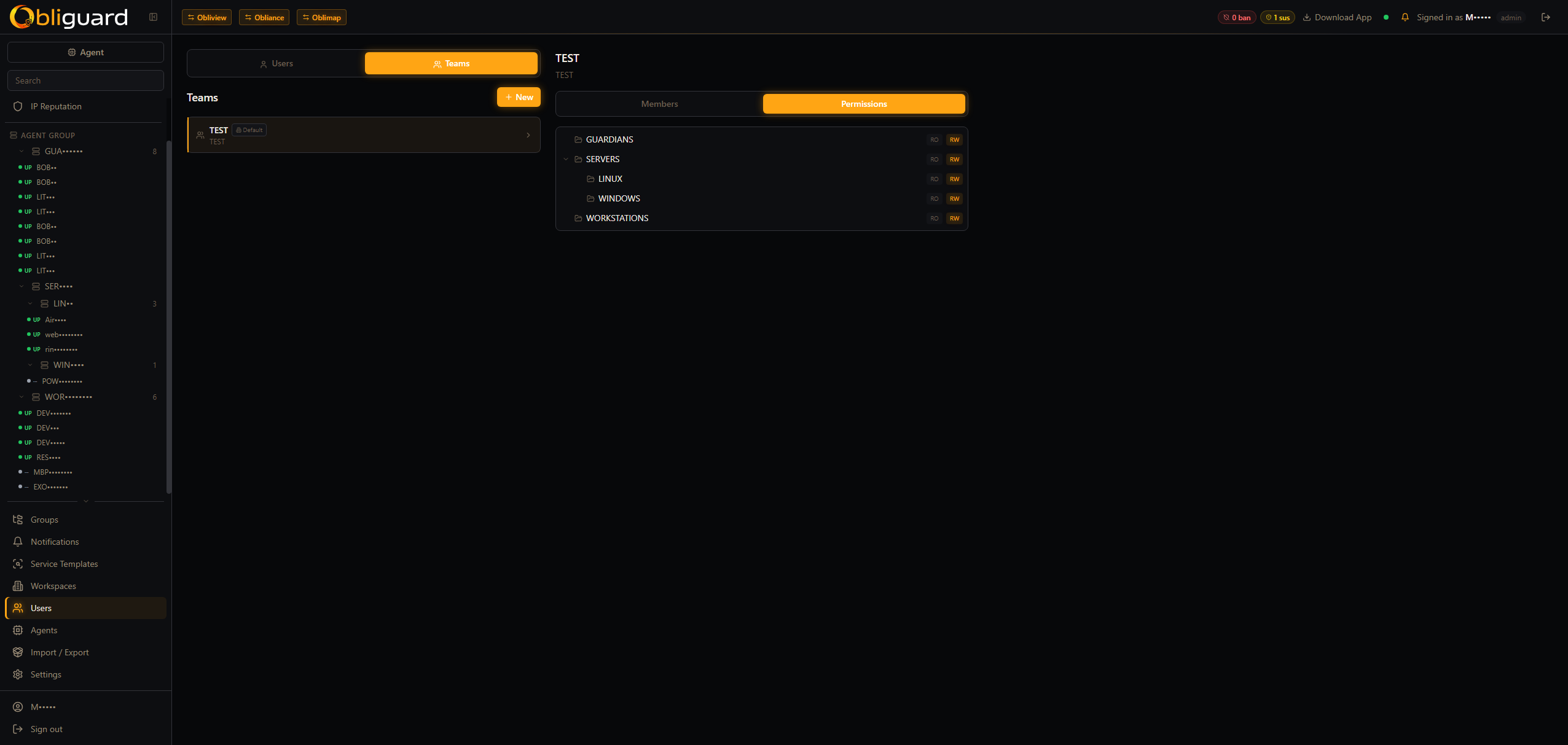
IP reputation, agents & multi-tenant

Drill down into any IP's history, manage your agent fleet, configure teams with fine-grained RBAC and isolate clients in separate workspaces.

Quick deploy

Up in 60 seconds

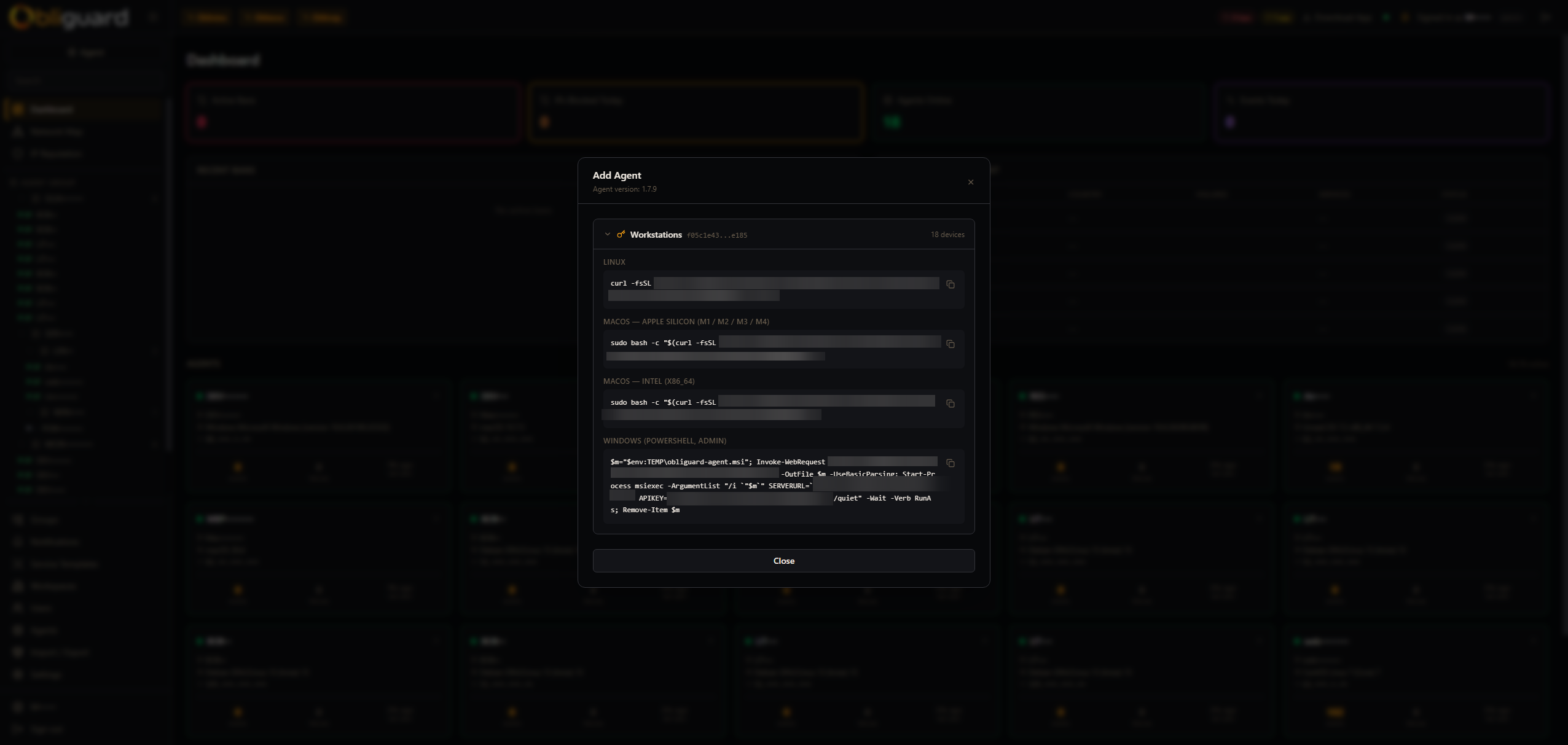
One command for the central server. Then deploy agents on each machine with a single line — they auto-register to the central.

Central server
$curl -fsSL https://raw.githubusercontent.com/MeeJay/Obliguard/main/install.sh | bash
✓ Obliguard central running on http://localhost:8080
Agent — on each machine to protect
$curl -fsSL https://raw.githubusercontent.com/MeeJay/Obliguard/main/agent-install.sh | bash -s -- --central https://guard.example.com --token YOUR_TOKEN
✓ Agent registered · watching: ssh nginx mysql